Address lookup
Where am I right now: exact address
Look up the mapped address near your position, with street number and postal code when available. Verify the building and entrance before using it.
Location permission is required. Coordinates go to OpenStreetMap services for address lookup and map display.
How to find your exact address right now
- Open the address finder. Use your phone for the best accuracy.
- Allow location access. Tap Find my exact address and choose Allow.
- Check the map pin. Make sure the pin sits on the right building.
- Copy the fields you need. Copy the street, ZIP code or full address in one tap.
How we turn your position into an address
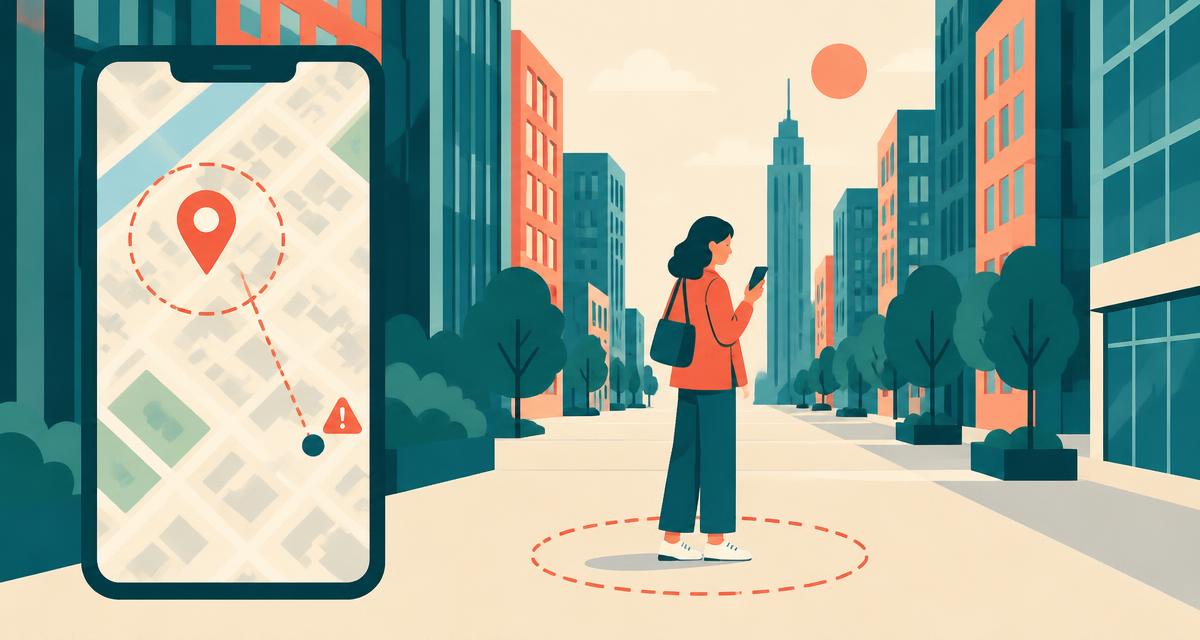
Your device first works out your coordinates using GPS satellites, nearby Wi-Fi networks and cell towers. On its own, a pair of numbers like 40.748440, -73.985664 isn't much use to a taxi driver, so we reverse geocode it: we ask OpenStreetMap which building, street and postal area are closest to that point, then split the answer into clear, labelled fields.
The result usually includes the house number, street, neighbourhood, city or town, county, state or region, ZIP or postal code and country. Each field has its own copy button so you can paste exactly what a form asks for.
What each address field means
| Field | Example | Notes |
|---|---|---|
| Street | 350 5th Avenue | House number plus street name |
| Neighborhood | Midtown | Suburb, quarter or district |
| City / Town | New York | Or village or municipality |
| County / District | New York County | Administrative area below the state |
| State / Region | New York | State, province or region |
| ZIP / Postal code | 10118 | Used for mail, deliveries, forms |
| Country | United States | Based on your coordinates, not your IP |
Tips for the most accurate address
- Use your phone with precise location on — it's far more accurate than a laptop.
- Wait until the accuracy shows under ± 20 m, then refresh if needed.
- Indoors, stand near a window to help GPS reach your device.
- In tall-building areas, step into an open space for a few seconds.
- Check the map pin is on the right building before sharing.
When the address is wrong
If the coordinates look right but the address doesn't, the map data is usually to blame — a new building may not be numbered yet, or a large property may have several entrances. If both the pin and the address are in the wrong place, your device has a poor fix: turn on Wi-Fi, disable battery-saver location modes and try again. Our guide why is my location wrong? covers every common cause.
Common reasons people look up their exact address
- Booking a ride or delivery — give the driver a precise pickup point.
- Roadside breakdowns — tell your insurer or tow truck exactly where you are.
- New home or Airbnb — compare a mapped address with the host's verified mailing address.
- Forms and registrations — find your county or postal code fast.
- Emergencies — call the local emergency number first; confirm landmarks and follow the dispatcher's instructions.
Need raw numbers instead? Use my GPS coordinates. Want to know what websites can see without permission? Try where am I right now by IP.
Why a correct pin can have an incorrect address
The address service finds a nearby mapped object. Its entrance may be on a different road, the building may have several numbers, or the map may omit the feature you are standing on. Coordinates and address data have separate limitations: a small location radius does not certify a house number. Use visible signs and the venue's official address to confirm a pickup or delivery.
What to copy when you have no street address
On a trail, beach or large park, coordinates and a named access point may be more useful than a distant building's address. Send the fixed map link, describe a safe meeting point and make clear if you have moved since the reading. This tool does not show an apartment, floor, gate code or continuous movement.
Frequently asked questions
How do I find my exact address right now?
+
Tap “Find my exact address” and allow location access. We convert your GPS coordinates into the nearest mapped street address, including house number and ZIP or postal code.
What is the address of where I am right now?
+
It's the nearest mapped building to your GPS position. The tool shows it as a short address, a full address and separate fields for street, city, county, state, ZIP and country.
Why is the house number missing or slightly off?
+
Reverse geocoding returns the nearest address in OpenStreetMap. Some buildings aren't numbered on the map yet, and a few metres of GPS error can select a neighbouring house. Check the pin on the map.
How can I find my ZIP code from my location?
+
Your ZIP or postal code is listed in the address breakdown. Use the copy button next to it to paste it into a form.
How do I find my address without GPS?
+
Browser geolocation can use Wi-Fi and other available signals, but accuracy varies. Location permission is still required. The separate IP lookup cannot reliably provide a street address.
Can I use this address for deliveries or rides?
+
Yes, but always double-check the map pin. Building entrances, apartment, suite and floor numbers aren't included in map data, so add them yourself.
Does this verify my official mailing address?
+
No. It returns nearby OpenStreetMap address data, not a certified postal record. Confirm your street number, unit and postal code with the property owner or postal service before using the result for mail or official forms.
Does the exact address work outside the US?
+
Yes. Addresses come from OpenStreetMap, which covers every country. The fields adapt to local formats — postal codes, provinces, prefectures and so on.
More location tools
Where am I right now?
Live location with address, map and coordinates.
Where am I by IP
See what your IP address reveals about you.
My GPS coordinates
Latitude & longitude in DD, DMS and DDM.
What city am I in?
Your current city or town, county and state.
My ZIP code
The ZIP or postal code for where you are now.
Local time where I am
Live clock, time zone and UTC offset.